
From decision notice to sealed plan, in one place.
How developers, councils and consultants run every condition, document and stage on PlanEase.
- Councils
- Configured for 20+ Queensland councils.
- Projects
- Run one approval or a whole portfolio of them.
- Stages
- Every stage of a staged approval, tracked on its own.
- Roles
- Developers, councils and consultants on one register.
How the work moves through PlanEase.
1. Capture
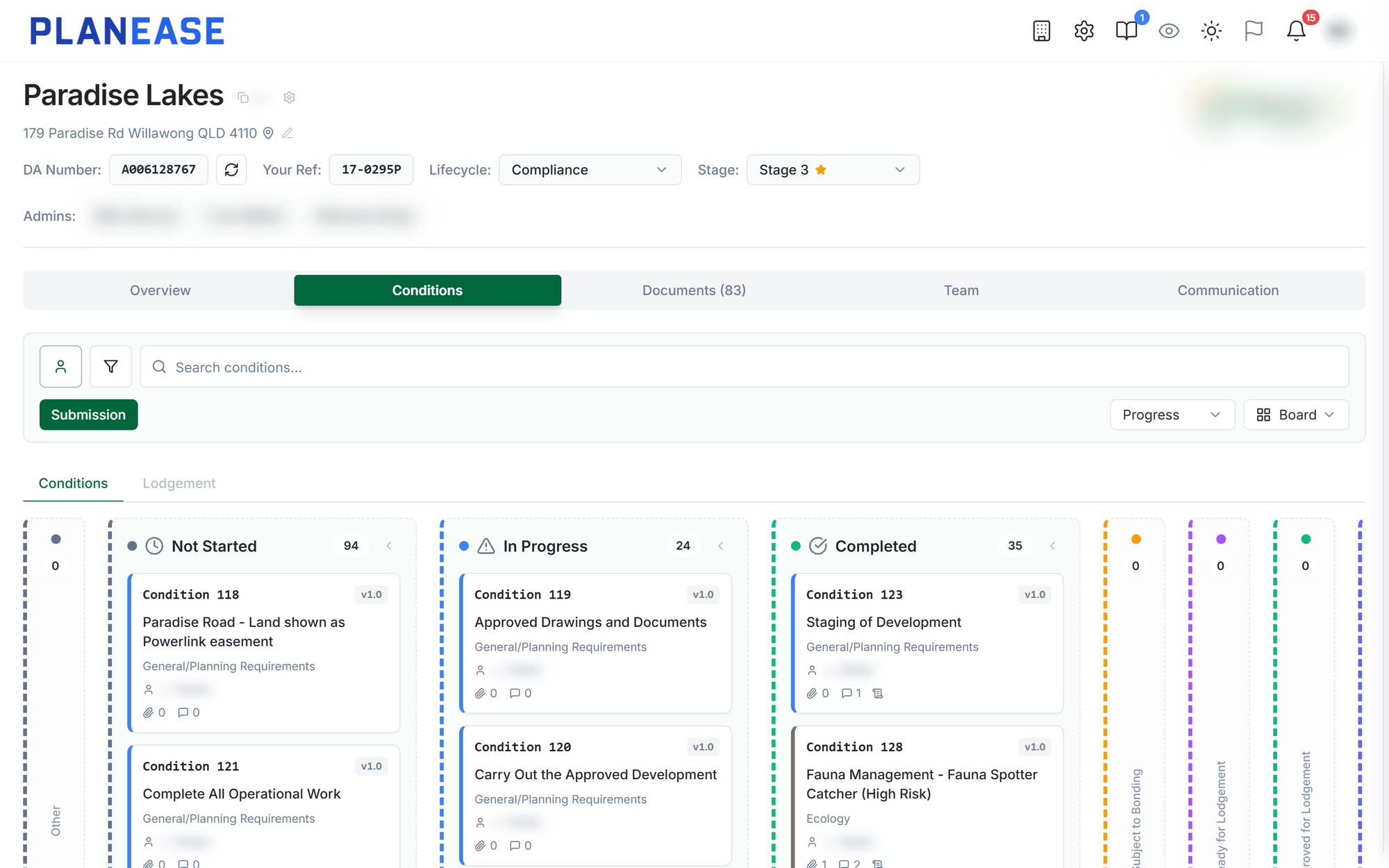
Your decision notice becomes a condition register.
Upload the decision notice and PlanEase extracts every condition into a register, grouped by timing and discipline, ready to check against the source. A project is set up in minutes, not days.
Swipe to explore
2. Approval changes
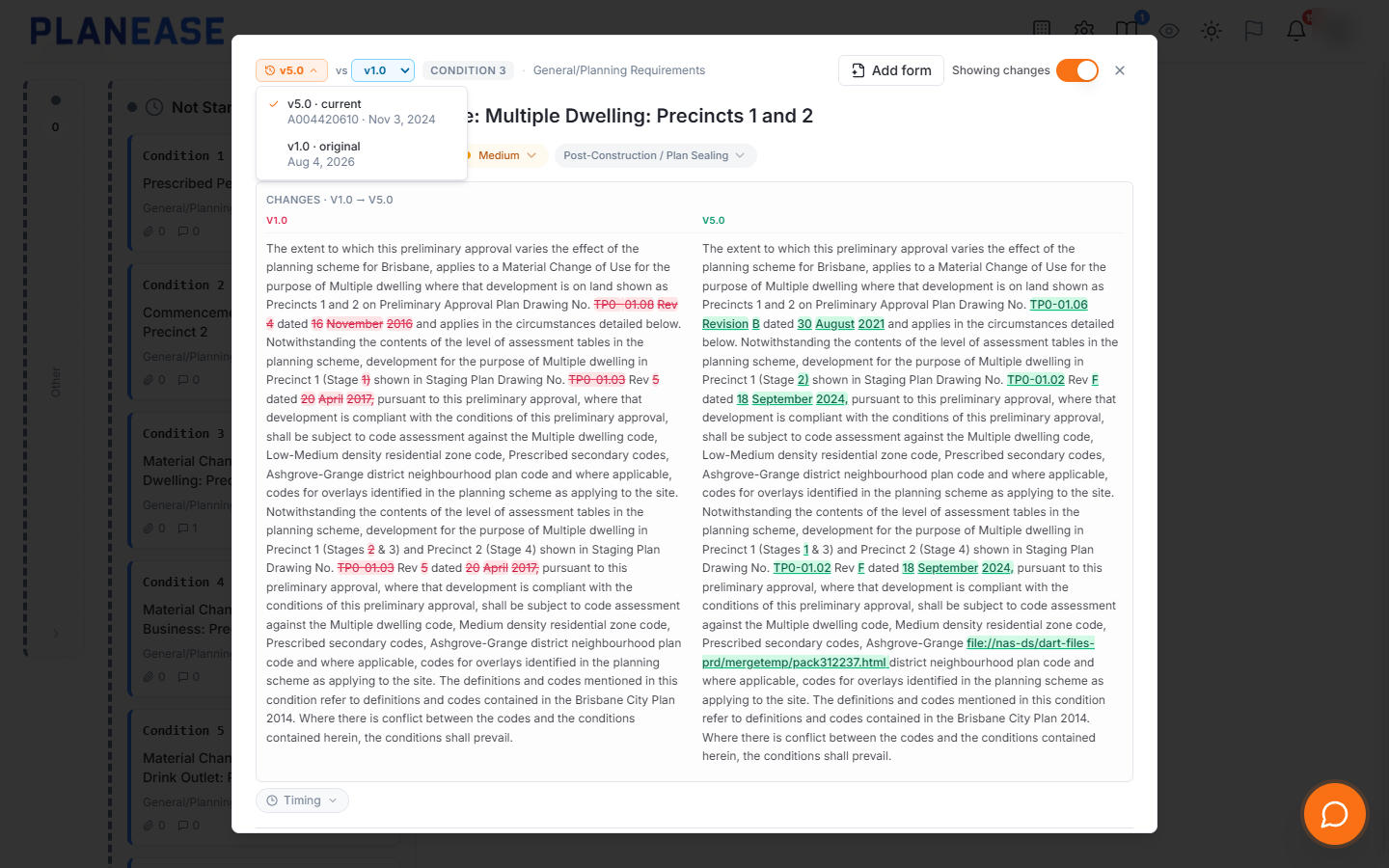
When the approval changes, the register keeps up.
Upload the amended conditions package and PlanEase shows exactly what moved. Accept the changes and every condition keeps its full version history, with nothing re-keyed and nothing lost.
- Changed, new and removed
- Each change reviewed side by side before you accept it.
- A history on every condition
- Step back through each version and see what changed.
- Work carries across
- Comments, evidence and lodgement stay with the condition.
- Change type recorded
- Minor change, court order or negotiated decision.
- New application numbers
- Old numbers kept on record, new documents pulled in.
- Reference plans
- Revisions updated, dropped plans marked superseded.
3. The whole site
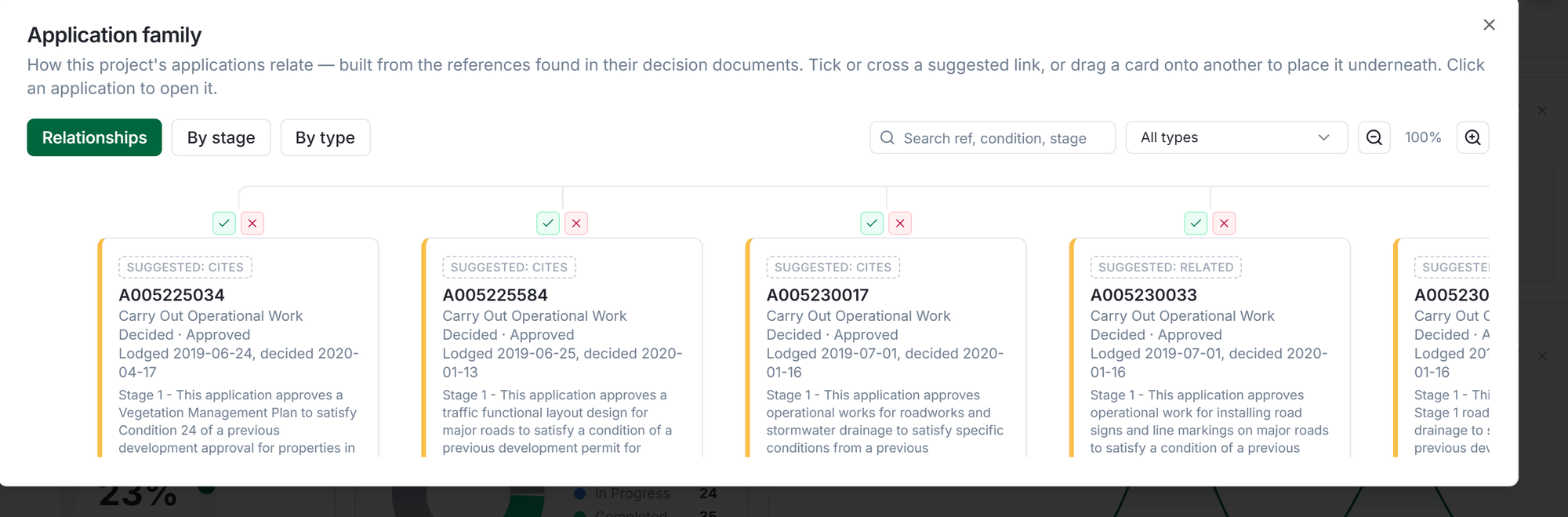
Every application on the site, in one tree.
PlanEase finds the other applications lodged over the same land, reads their decision notices and draws the family: the original approval, the changes made to it and the operational works beneath it. See which conditions each one discharges and when each approval expires.
Swipe to explore 4. Assign
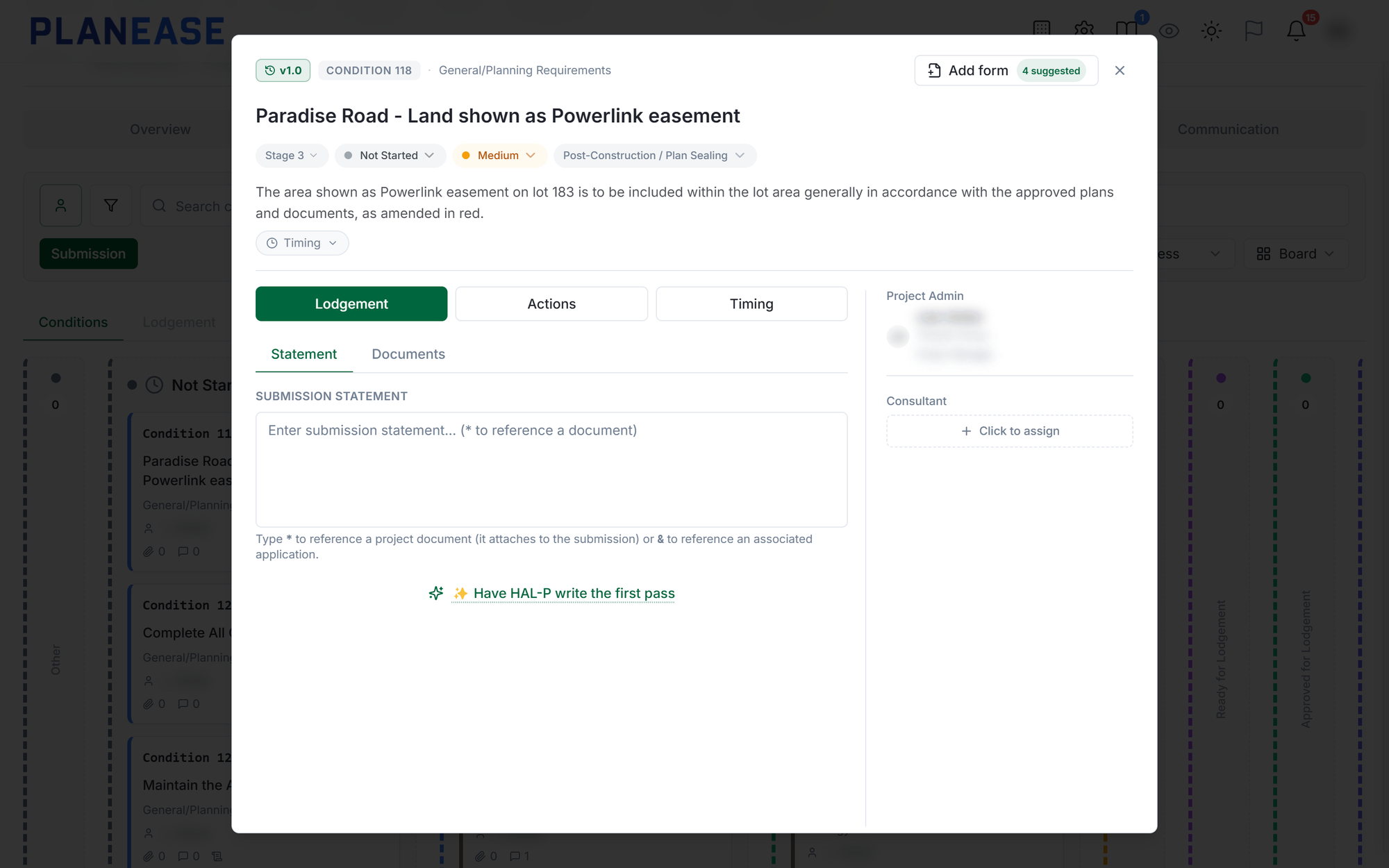
Every condition has an owner, a date and evidence.
Give each condition to the right consultant, set when it is due, and attach the evidence that satisfies it. Everyone can see what is outstanding and who has it.
Swipe to explore 5. Documents
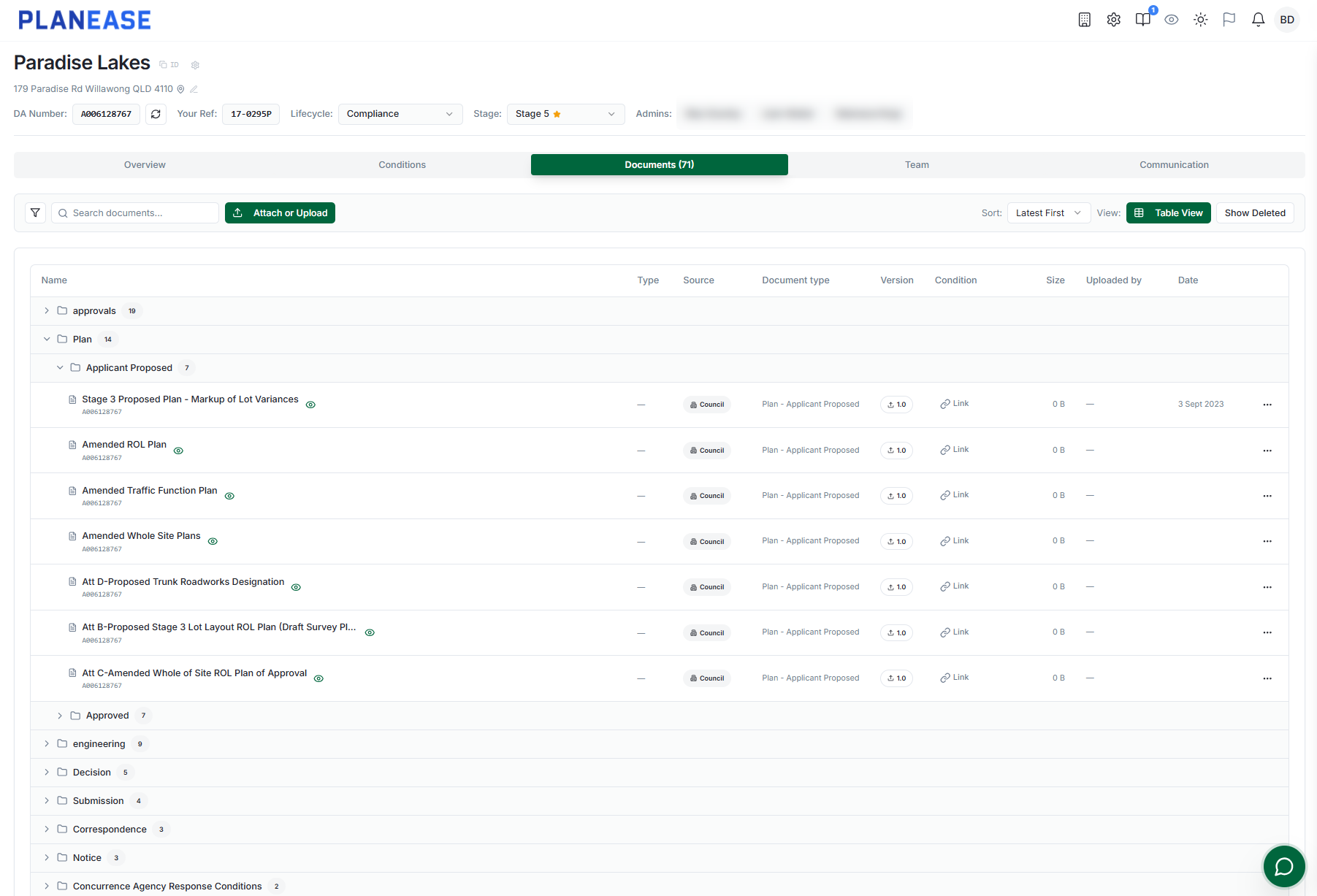
The current drawing is never in question.
Plans, reports and correspondence sit in one project library with version history, linked to the conditions they support.
Swipe to explore 6. Communication
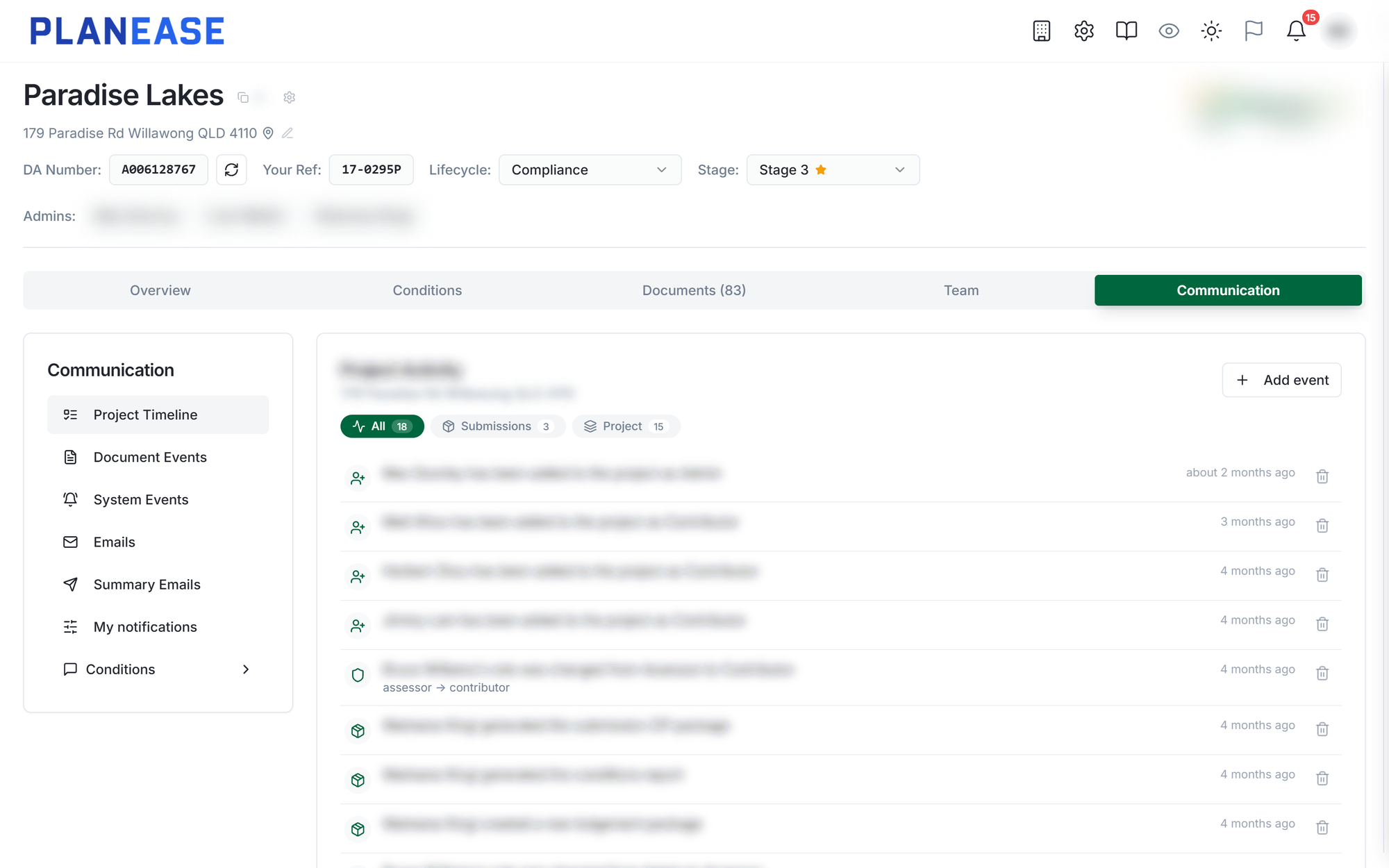
Every conversation stays with the project.
The Communication tab holds the project timeline, a thread on every condition, status changes and the emails sent to and from the project. Replies come back into the feed, not into one person's inbox.
Swipe to explore 7. Summary emails
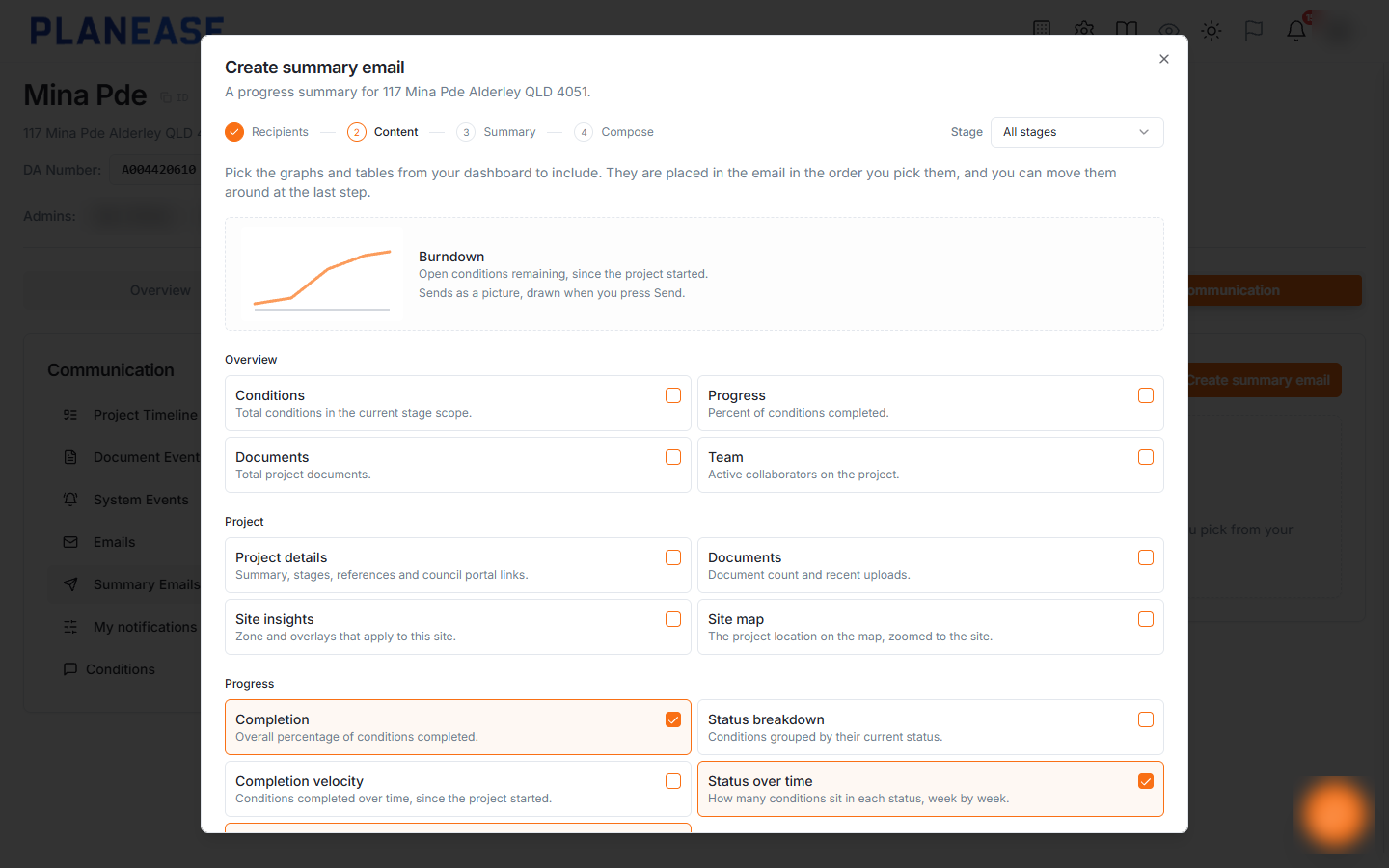
A progress update in four steps.
Pick who gets it, choose graphs and tables from the dashboard, start from a written opening drafted from the project's current numbers, then arrange it all in a composer. Every summary sent is kept on record.
Swipe to explore 8. Visibility
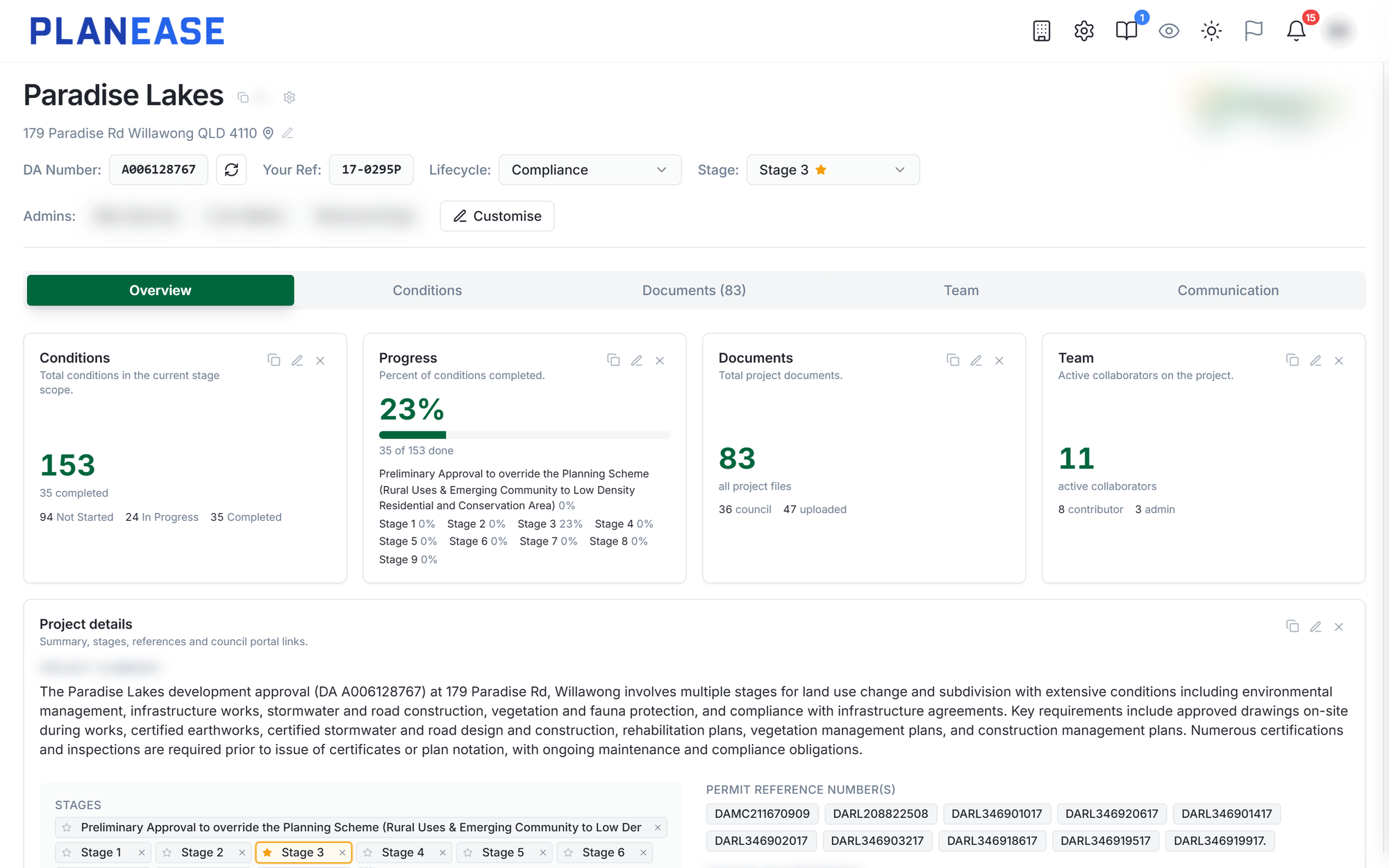
Developers and councils see the same picture.
Each project shows its stages, progress and recent activity. Across a portfolio, it is clear where delivery is moving and where it has stalled.
Swipe to explore 9. Plan sealing
Reach plan sealing with nothing left to chase.
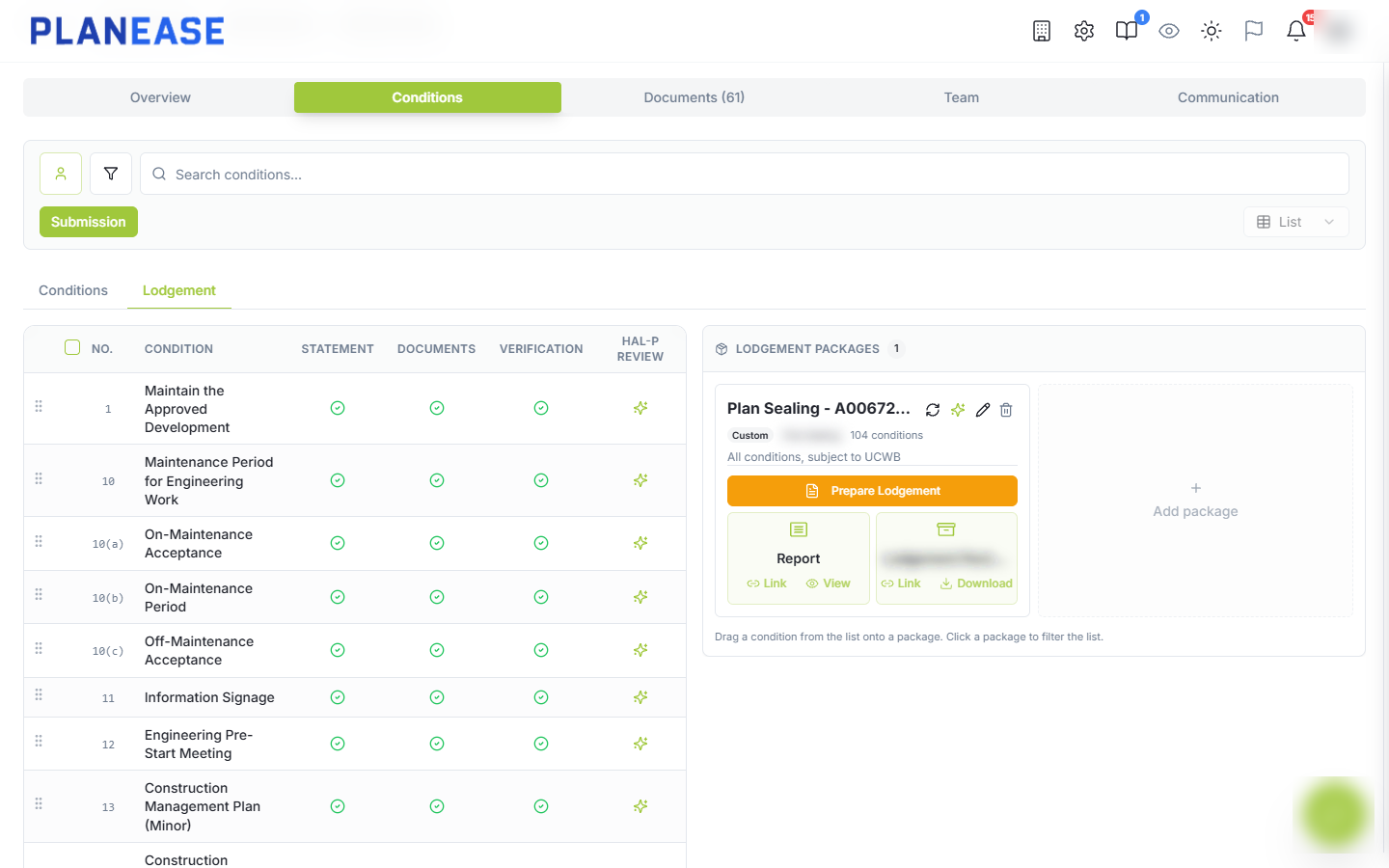
Group completed conditions into a lodgement package, complete the forms on PlanEase and send the report and ZIP to council. Only the assessing authority decides a condition is satisfied, and every update is recorded.
Swipe to explore
Gets better with use
Every submission better than the last.
PlanEase keeps the submission statements your team writes and notes which ones council accepted. When a similar condition comes up, the first draft starts from your best past work, not a blank page.
Your people review it, change it and decide. What your team knows stays with your team, even when people move on.
How PlanEase keeps what your team knows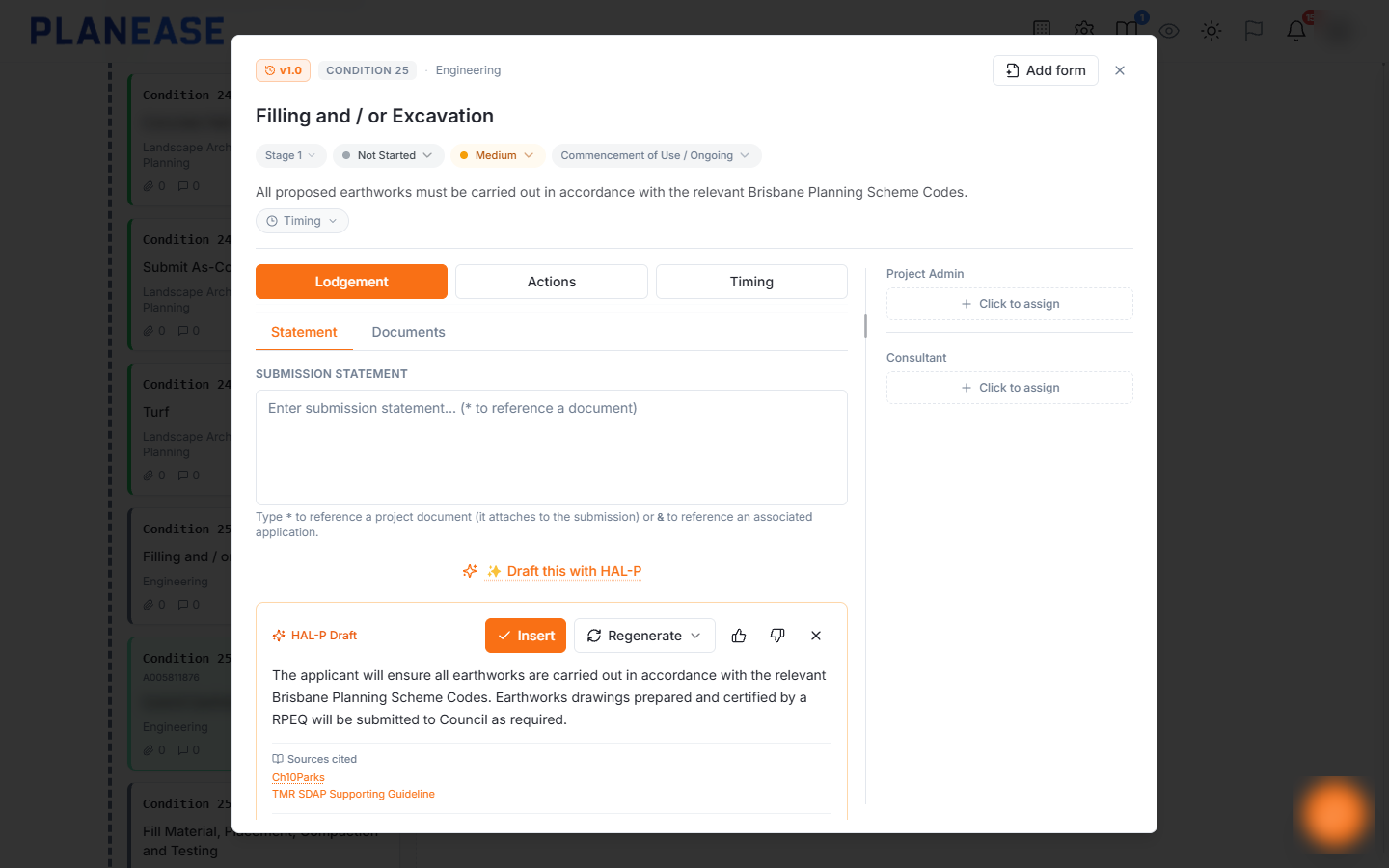
How it gets better
1
Your team writes
Statements are written and edited as part of normal work. There is nothing extra to fill in.
2
PlanEase keeps it
Each finished statement is kept for your organisation, with addresses, reference numbers and names taken out.
3
Council answers
Wording council accepted moves up. Wording it sent back counts for less.
4
The next draft starts ahead
A similar condition gets a first draft built from what worked, with its sources listed.
Your team's statements only ever inform your own organisation's projects. A draft only counts once a person has written or edited it.
And everything around it.
Pick an area and have a look around.
Requirements on import
Each condition arrives listing what it asks you to produce.
Suggested requirements
Read any condition again and get its requirements suggested, on demand.
Board, table and Gantt
Work the register by work cycle, in a sortable table or on a timeline.
Bulk actions
Assign, complete or add requirements to a batch of conditions at once.
Drafted statements
A first pass submission statement, written from what is on the condition.
Conditions
Requirements on import
Each condition arrives listing what it asks you to produce.
Ready for government data.
- 100% of data held in Australia
- Browser-based SaaS, nothing to install
- No integration with government systems required to start
- Essential Eight aligned
- ISO 27001 aligned controls
- Validated 4-hour recovery objective